Understand Workflows
Workflows drive automation and integration at the core of the Global AI platform. They empower organizations to build complex automations and embed business logic directly into integrations, going far beyond simple data transfer between systems.
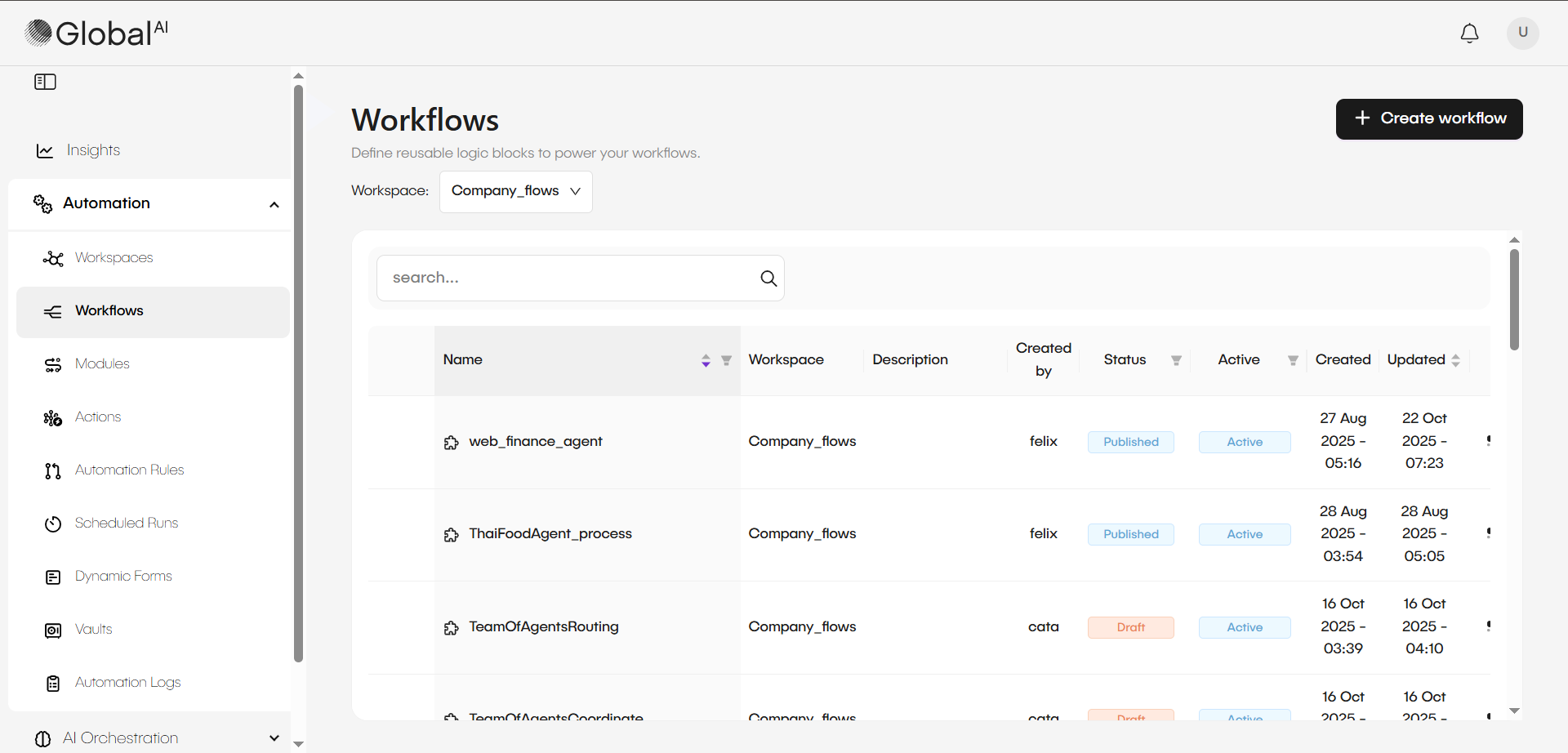
Central purpose and analytical context
A workflow is an automated sequence of tasks or operations designed to accomplish a specific objective or process. It represents a series of actions, often linked by logic or conditions, that are executed to manage and orchestrate tasks within the platform. Workflows typically involve automating interactions between different components like Kubernetes resources, infrastructure elements, and other integrated services.
Integration and logic objectives
The platform enables users to create real automations with the following primary capabilities.
- System connectivity: Use the connectors and integrations to establish communication between disconnected systems.
- Logic and decision implementation: Addition of integration logic to make decisions and build automations based on data structure and values.
- AI integration: Incorporation of AI agents and agent teams in the flow to help decision-making or transformation of unstructured data.
Structure and modular components
Workflows provide a visual interface within the platform's workflow editor, offering an intuitive drag-and-drop experience that enables both technical and non-technical users to design complex automations. For advanced users, the platform includes a comprehensive code editor with enhanced capabilities for block manipulation, including copy, paste, duplication, and version control integration. The architecture is built around Workspaces, which serve as isolated environments ensuring secure resource segregation and multi-tenant governance across organizational boundaries.
Workspaces and multi-tenant segregation
A Workspace is an organizational construct that groups together related resources and settings for effective management and collaboration. This structure allows you to segment and organize projects or resources based on teams, projects, or any logical grouping.
This segregation ensures that different departments operate in their own controlled environments, managing entities such as:
- Workflows and Modules
- Actions and Triggers
- Schedules and Dynamic Forms
Nodes and reusability
A workflow contains nodes that represent processing steps and logic.
| Workflow Component | Technical Function | Applications |
|---|---|---|
| Actions & AI Agents | Execution of specific tasks, including AI processing. | Decision-making, transformation of unstructured data. |
| Functions | Discrete, reusable operations or actions integrated into workflows. | Creating efficient, maintainable automation building blocks. |
| Modules | Smaller, reusable sub-workflows. | Simplification of complex logic and prevention of redundancy. |
| Reusable Actions | Scripts saved as a global "action" (pre-built action). | Reuse of the same script across many workflows. |
Flow control and execution
Workflows integrate specific nodes to manage automation execution flow in a structured manner:
| Control Node | Technical Description | Execution Condition |
|---|---|---|
| Conditions and Branching | Uses an expression language to configure execution conditions. | If the condition fails, the system skips the node, but execution continues. |
| Terminate | Enables early workflow exit. | Unconditional end or under specific condition. |
| Branch | Like if/else structure. | Execution path deviation based on a condition. |
| Switch | Like switch case structure. | Enables divergent execution paths based on different values. |
| Parallel Execution | Executes nodes simultaneously. | Flow only advances after all parallel nodes complete; failure in any node stops the flow. |
| Loops (For and While) | Iteration over data (for example, arrays, results from previous nodes). | The For loop can execute iterations in parallel. |
| Approver Step | Pauses the workflow to await manual approval/rejection. | The system treats reaching timeout as a rejection. |
Data management and triggering
Data management and triggering form the operational foundation that powers workflow execution, enabling seamless data exchange through variables and secure credential storage via Vault systems. Organizations can execute workflows through multiple trigger mechanisms including event-driven automation rules, REST API webhooks, scheduled executions, and dynamic form submissions.
Data management and scope
Output variables manage data exchange between nodes. Each node generates variables that later nodes can access.
- Variables: You can define these locally (within the node) or globally.
- Vault: Securely stores credentials and sensitive information. Enables management of different credentials for the same variable in different environments, like repository secrets.
- Data input: At the beginning, the workflow accesses input data, such as the payload from a webhook request or parameters from a schedule.
Trigger methods (Triggers)
Various mechanisms can start (trigger) a workflow:
- Triggers/Automation Rules: Triggering by events in other applications (GitHub, AWS, Azure, email) or events in databases (insertion, update, deletion in SQL).
- Webhooks: Enables workflow initiation via a web hook, which you can configure as a Representational State Transfer (REST) endpoint (supporting methods like GET, POST, DELETE).
- Schedules (Scheduled Runs): Configuration for periodic execution, acting as cron jobs.
- Dynamic Forms: Submission of a specific dynamic form initiates a workflow.
Status and licensing
Workflow status directly influences license usage:
- Active: Counts toward license usage.
- Inactive: Removes the workflow from license usage.
- Draft and Published: Show internal development state or production readiness, respectively.
Related articles
Now that you understand what Workflows are, you can learn about the components they connect to.
How to Create Your First Workflow
Learn how to use the visual editor to design and run an automated process.
Understand Actions
Discover the pre-built integrations you can use as steps in your workflows.
How to Create and Use a Module
Save time by building workflow components that you can reuse across multiple automations.